

Neon Coral Shooter places players in reefs filled with moving targets and timed stages. The game combines adjustable cannons, coral creatures, reward values, and bonus events. This guide supports Me777 members seeking clear rules, controls, and target selection.
Neon Coral Shooter summary in Me777 arcade
Neon Coral Shooter uses a fixed screen where sea creatures cross coral lanes. Each round mixes fish, armored targets, quick swimmers, and occasional bonus enemies. Players control cannon direction, shot strength, and firing rhythm through screen buttons.
The layout keeps target values visible beside creatures during active shooting moments. Bright outlines separate enemies from stronger figures carrying larger possible rewards. Members can follow movement paths without opening menus or leaving the main screen.
Rounds become busier when clustered targets enter from opposite edges together quickly. Special animations signal higher-value creatures, temporary multipliers, or group attack opportunities. Neon Coral Shooter stays understandable because actions remain tied to aiming and firing.
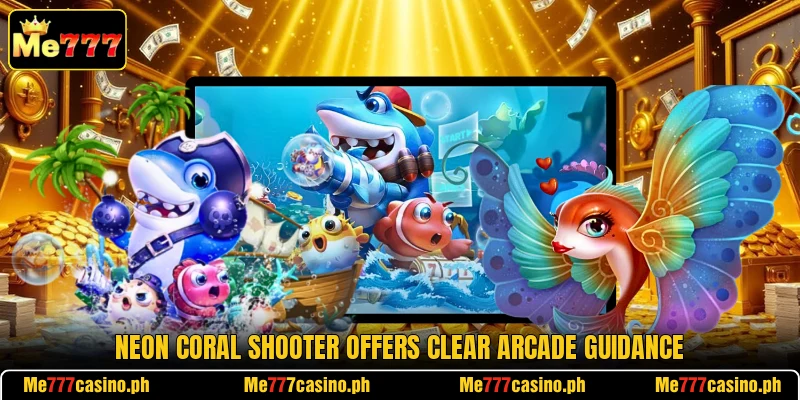
Core rules and objective behavior during rounds
The system rewards accurate timing more than constant tapping across empty screen areas. Players should read target speed, weapon cost, and round time before shooting.
How Neon Coral Shooter works
Each session starts after members choose a room and confirm the cannon level. The screen then loads lanes where creatures appear from changing entry points. A timer or stage bar shows how long the sequence will continue.
Targets disappear after receiving enough damage, while missed shots consume their cost. Neon Coral Shooter awards credits according to creature values, weapon strength, and hits. Some enemies require repeated fire because their health exceeds one projectile hit.
Round pace increases when schools enter together or icons appear near coral structures. Players switch targets immediately without waiting for an attack animation to finish fully. Credits update after captures, helping members review results before the next wave.
Weapon levels and costs
Cannon levels determine projectile cost, damage output, and the size of possible returns. Lower settings produce shots that suit small creatures moving through crowded lanes. Higher settings deliver stronger damage but require clearer targets and more selective timing.
Players change levels through plus and minus controls beside the firing button. Rapid adjustment helps match small targets, armored enemies, and short bonus windows efficiently. Automatic fire can support steady tracking when several creatures follow the same path.
Shot costs should match the selected room because difficulty affects enemy durability significantly. Neon Coral Shooter makes these differences visible through cannon numbers and projectile effects. Members can test one level briefly before selecting a stronger or lighter setting.
Coral targets and values
Ordinary coral fish carry smaller values and move along predictable horizontal routes. Armored turtles or large rays often need several hits before their rewards register. Fast swimmers offer brief firing windows, making early aiming better than late chasing.
Target labels show relative value, allowing players to compare creatures before committing shots. Neon Coral Shooter uses color changes to separate common targets from stronger variants. Members should focus on open movement lanes where projectiles face fewer visual distractions.
Grouped creatures create chances for spread attacks when their paths overlap around central coral. Single high-value enemies demand tighter tracking because missed projectiles provide no target damage. Choosing between groups and single targets depends on weapon type and screen spacing.
View more: Mystic Abyss Fight – Deep Battle Guide For Players
Bonus creatures and events
Bonus creatures enter with brighter effects, larger models, or symbols above their bodies. These targets may trigger multipliers, area damage, frozen movement, or extra shooting seconds. Players should identify the event icon before changing weapons or redirecting active shots.
Some events lock several creatures briefly, creating easier angles for concentrated cannon fire. Others send a powerful target across the screen with only one short appearance. Members can prepare by keeping the pointer near likely entry lanes between waves.
Special attacks work best when multiple valuable targets occupy the same visible zone. Neon Coral Shooter signals these moments through flashes, sound cues, and temporary overlays. Players should confirm each event outcome before spending additional shots on departing enemies.

Practical shooting techniques for different arcade rooms
Strong play comes from reading movement patterns and matching weapons to target conditions. Members gain better control by using short bursts instead of uncontrolled continuous firing.
Reading movement before firing
Most creatures follow repeated curves, straight lanes, or slow turns around reef obstacles. Players aim ahead so projectiles meet targets directly instead of trailing behind them. Early alignment reduces wasted shots when fast enemies cross the screen within seconds.
Large targets move slowly but often absorb more damage before producing any result. Small swimmers change direction quickly, so narrow bursts usually create cleaner hit patterns. Members should stop firing when a target reaches the edge or becomes blocked.
Crossing paths can hide smaller creatures behind larger models during crowded wave sequences. Waiting may open a clearer lane with fewer objects between cannon and target. Accurate positioning matters because every projectile travels through a fixed visible route.
Choosing suitable chamber difficulty
Entry rooms usually feature lighter cannon costs and enemies with lower durability levels. Advanced rooms often present stronger targets, faster waves, and more expensive firing options. Players should compare room labels with available credit limits before confirming their choice.
A suitable room keeps standard shots practical during normal waves and bonus events. Neon Coral Shooter remains easier to read when weapon cost matches the screen pace. Members can change rooms between sessions after reviewing target strength and shot frequency.
Crowded rooms often suit spread weapons because several enemies share nearby movement lines. Quieter rooms favor direct cannons that concentrate damage on one clearly tracked creature. Room selection therefore shapes targeting decisions before the first projectile enters the screen.
Using power shots efficiently
Power shots usually consume more credits but cover wider areas or deliver stronger impact. They become useful when valuable creatures cluster near bonus targets or frozen enemies. Players should avoid activating them when only low-value swimmers remain widely separated.
Area attacks can clear crowded lanes, while direct boosts suit one durable target. Members should watch cooldown indicators because special weapons may require recovery before reuse. Saving one charge for marked events can improve control during short opportunity windows.
Repeated power use may leave targets untouched when the timing misses their route. One measured activation often creates better coverage than rushed attempts across empty areas. Players can combine normal tracking with special shots whenever clustered movement becomes clear.

View more Category: Fish
Conclusion
Neon Coral Shooter offers direct rules, readable targets, and flexible cannons for arcade sessions. Members using Me777 can apply these methods while checking each room’s specific controls. Download the app, open the game, register, then enjoy each round with luck.